Using VR controllers
The controllers let you interact with objects in VR. There are two buttons that you use during the lesson:
Trigger (Controllers front and side view pt. 2) - interaction with objects. Click here to find out how you can interact with objects.
Thumbstick (Controllers top view pt. 2) - teleportation and rotation. Click here to learn how to use this action.
Note
The button descriptions below are shown on HTC Vive Focus 3 controllers. Meta Quest controllers have a similar layout with the same Trigger and Thumbstick buttons.
Controllers front and side view
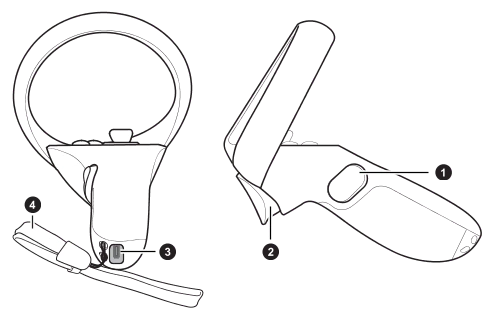
- Grip button
- Trigger
- USB Type-C port
- Wrist strap
Controllers top view
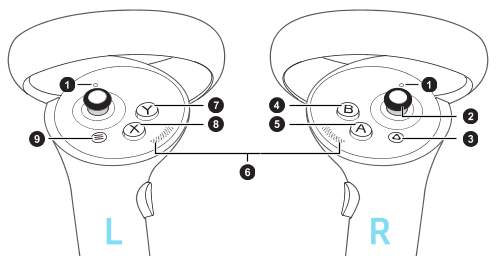
- Controller LEDs
- Thumbstick
- VIVE button
- B button
- A button
- Thumb rest
- Y button
- X button
- Menu button
Credits: About the Vive Focus 3 controllers