First Steps
The following instructions will guide you step-by-step through the process of creating a new training lesson.
-
Log in to the Web App and create a new lesson draft. Check details
-
Add the resources (3D models, images) you will use when creating the lesson. Check details
-
Log in to the Editor and select the server to connect to (Console, Local, or Offline).
-
Select the lesson draft you just created (Download, then Open).
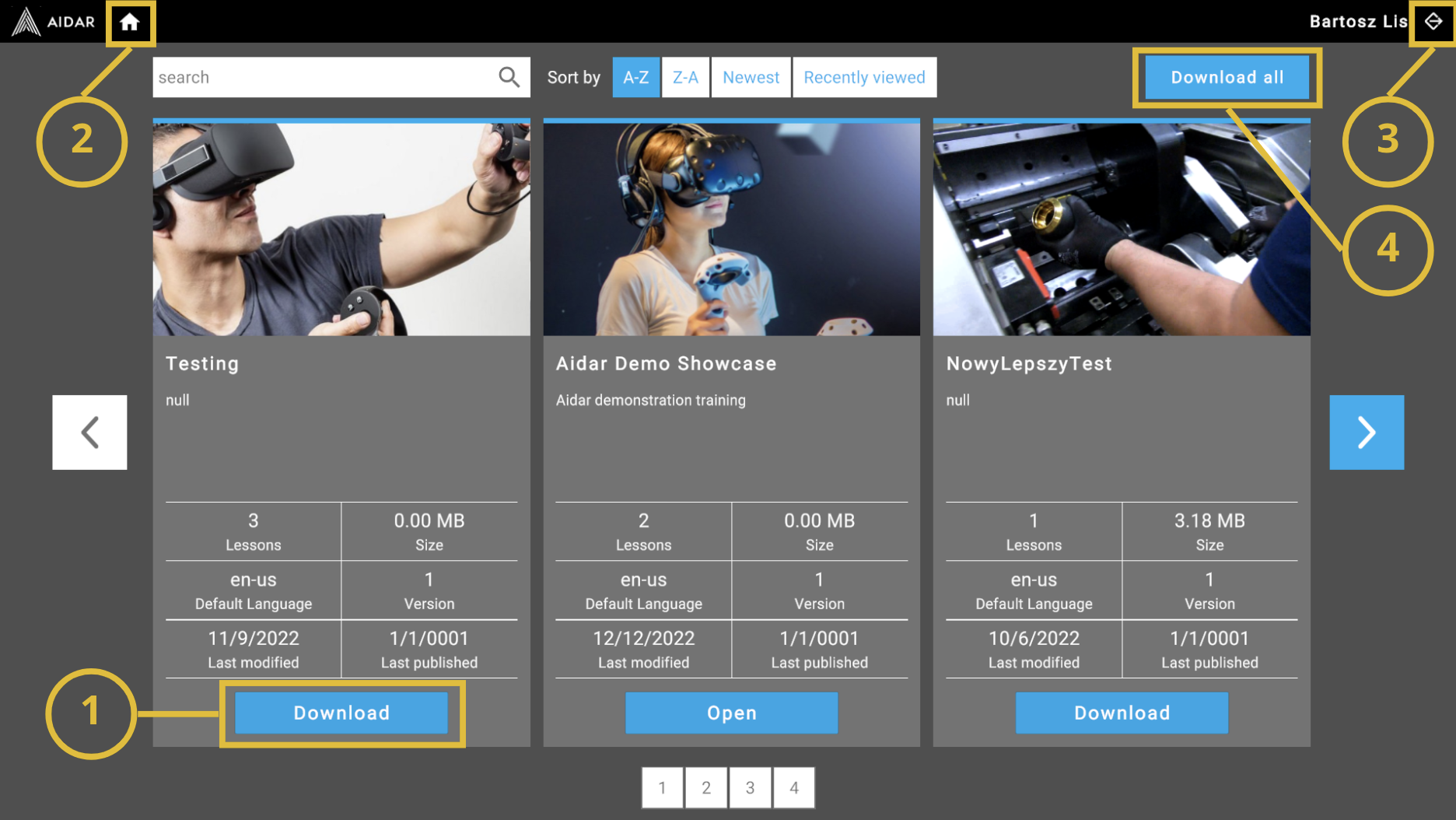
(1) Download the lesson (Download), and then open it (Open)
(2) Go back to training list
(3) Log out
(4) Download all lessons at once
-
Build a scene for the VR lesson. Check details
-
Build the training logic (steps and substeps). Check details
-
Save your work and optionally preview the lesson in VR.